
WhatsApp is one of the easiest places to share a digital visiting card because most business conversations already happen there. Whether someone sends an inquiry, asks for your number, or wants your business details, one card link can save time and make the follow-up more professional.
Instead of typing your phone number, email, website, address, and social links again and again, you can share one digital visiting card. The person can open it on mobile and take action immediately.
In this guide, you will learn the best ways to share your digital business card on WhatsApp using a link, QR code, and WhatsApp Business follow-up messages.
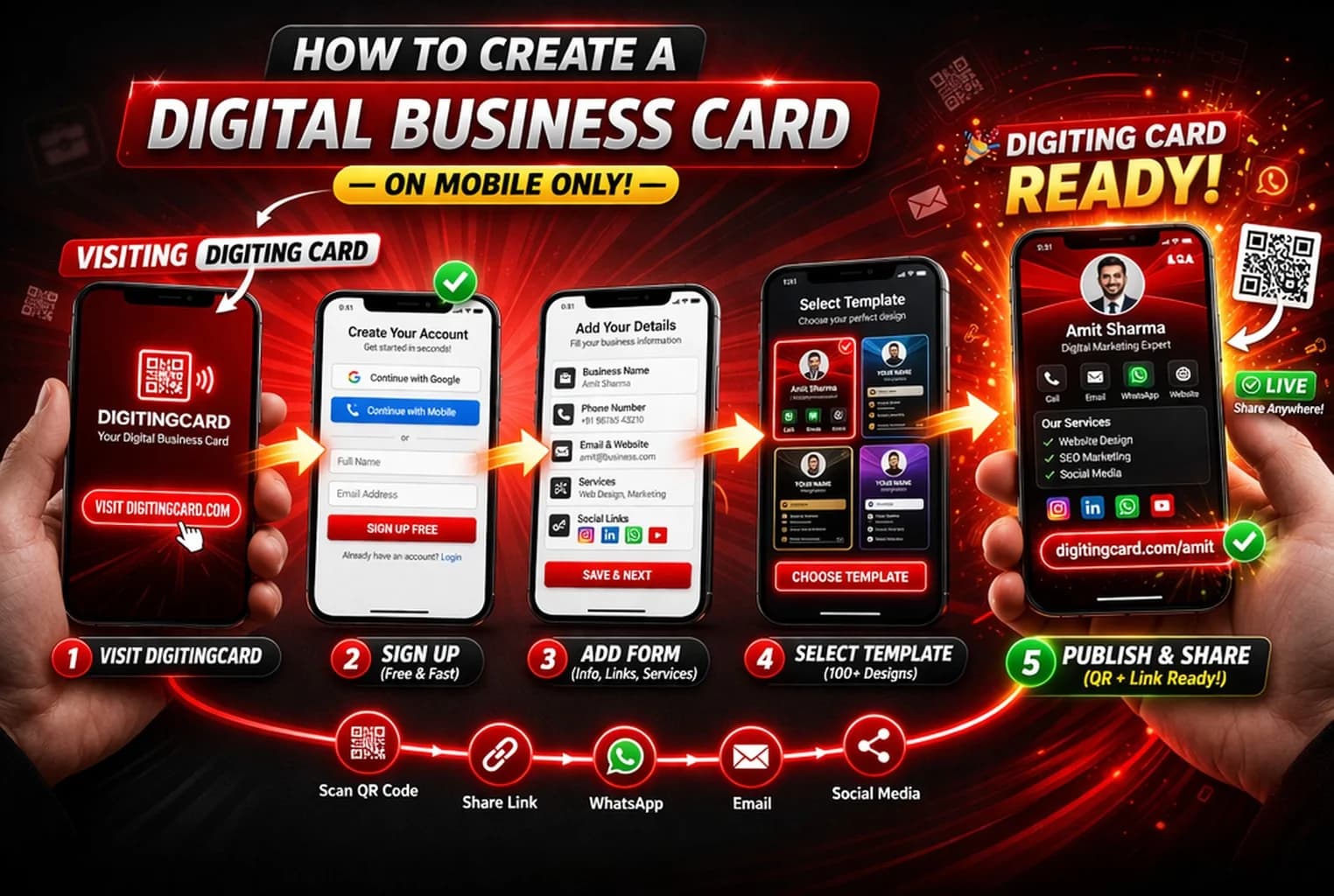
Quick answer
For a normal WhatsApp conversation, sending the public card link with a short explanation is usually the simplest option. A QR code is more useful when the recipient can scan it from a second screen or printed material.
How to use your card with WhatsApp Business
If you use WhatsApp Business, your digital business card can become part of your regular customer communication. This saves time and keeps your response consistent.
- Add your card link to your WhatsApp Business profile description
- Use it in quick replies for new inquiries
- Send it after missed calls or first customer messages
- Use it after meetings, site visits, or service discussions
- Add it to relevant follow-up messages instead of sending plain contact details
WhatsApp message examples
A digital business card performs better when you send it with context. Keep the message short and helpful.
After a new inquiry
Hi, thanks for your inquiry. Here is my digital business card with contact details, services, and WhatsApp option: [your card link]
After a phone call
Nice speaking with you. I am sharing my digital business card here so you can save my details and contact me anytime: [your card link]
After a meeting or site visit
Thank you for your time today. You can find my contact details, location, and business information here: [your card link]
Best practices for sharing on WhatsApp
The goal is not to send your card everywhere. The goal is to share it when it helps the other person take the next step.
- Send the card only when it is relevant to the conversation
- Use a short message before the link
- Make sure your card has call, WhatsApp, and save contact actions
- Keep your profile photo, number, and business details updated
- Use link sharing in chats and QR code sharing for offline situations
Mistakes to avoid
- Do not send the card link repeatedly without context
- Do not send only a QR image inside WhatsApp if a direct link is easier
- Do not share an unpublished or broken card link
- Do not write a long promotional message before the card link
- Do not add too many unrelated links on your card
Do not have a digital business card yet?
Learn how to create one step by step before sharing it on WhatsApp.
Read how to create a digital business cardNeed only a WhatsApp link?
If you do not need a full business profile yet, create a direct WhatsApp link with a prefilled message first. Use Digiting Card when you also want contact details, services, location, QR sharing, or enquiry actions in the same profile.
Create a WhatsApp linkFinal recommendation
For WhatsApp, share your digital business card as a direct link with a short message. Use QR codes for offline places like printed cards, counters, flyers, and events. This keeps sharing simple and makes it easier for customers to contact you.
Frequently asked questions
How do I share my digital business card on WhatsApp?
Copy your digital business card link, open WhatsApp, choose the chat, paste the link with a short message, and send it. The recipient can open your card directly from the chat.
Should I share a link or QR code on WhatsApp?
A direct link is better for WhatsApp because the recipient can tap it immediately. QR codes are better for offline use, such as printed cards, flyers, counters, or events.
Can I use my digital business card in WhatsApp Business?
Yes. You can add your digital business card link to your WhatsApp Business profile, quick replies, greeting messages, and customer follow-up messages.
What message should I send with my digital business card?
Keep the message short and useful. Tell the person that the link contains your contact details, services, location, and direct contact options.
Can sharing a digital business card on WhatsApp improve leads?
Yes. It can improve follow-ups because the customer can call, message, save your contact, or view business details from one mobile-friendly page.
Start sharing your digital business card today
Create your card, copy your link, and share it instantly on WhatsApp, QR code, social media, and direct messages.