A Truly Custom Digital Visiting Cardby Shrimo Innovations Pvt Ltd
Our experts design a unique card that matches your brand's style and vision.
Share your Digiting Card instantly with a QR Code or unique URL across social media, WhatsApp, or email. Modern, eco-friendly, and designed to make you stand out.
Find the Best Businesses in Your City
Custom. Modern. Memorable.
Instant QR Code Sharing
Share your digital visiting card with a quick scan.
Unique Shareable Link
Send your professional profile across social media and email.
Professional Profile & Branding
Showcase your identity, skills, and business details.
Services & Products
Display what you offer directly on your digital business card.
Business Address & Location
Help clients reach you easily with integrated maps.
Payment Integration
Share payment options securely for faster transactions.
Clickable Contact Details
Clients can call or connect with just one tap.
Email & Social Media Integration
Connect all your accounts in one card.
Global Reach
Works seamlessly on mobile and desktop devices worldwide.
How Digiting Card Works
Tell Us About Yourself
Share your name, business details, services, and social links with us through WhatsApp or our online form.
We Design Your Card
Our team creates a professional, custom digital visiting card tailored to your style and brand.
Preview & Make Adjustments
See a live preview of your card and request any edits until it perfectly represents your professional image.
Share Instantly
Receive your Digiting Card with a unique QR code and link, ready to share with clients, colleagues, or on social media.
Who Can Benefit from a Digiting Card?
Business Owners & Professionals
Make a lasting impression with a Digiting Card — a premium digital business card to showcase your profile, services, and contact details professionally.
Students & Job Seekers
Create a mobile-friendly digital visiting card to highlight your skills, projects, and achievements — ideal for interviews, internships, and networking.
Freelancers & Service Providers
Share your portfolio, services, and instant contact links with a digital business card — perfect for designers, tutors, consultants, and other professionals.
Influencers & Creators
Link all your social profiles, collaborations, and contact information in one beautiful Digiting Card — ready to share anywhere, anytime.
Types of Digiting Cards
Professional Card
Designed for companies, freelancers, and business professionals — a polished Digiting Card to make a strong impression in meetings, networking, and client introductions.
Personal Profile Card
Perfect for individuals, influencers, and creators — a stylish Digital Visiting Card to share your social links, personal brand, and contact details instantly.
Mini Card
A compact Digiting Card with only your essential information — fast, minimal, and easy to share anywhere.
Portfolio Card
A multi-section Digital Business Card to showcase your work, projects, galleries, and detailed professional information — ideal for designers, photographers, and agencies.
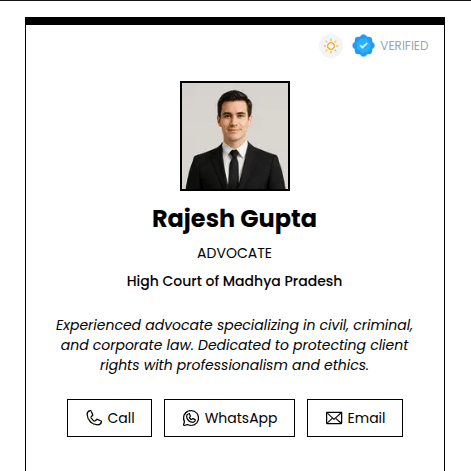
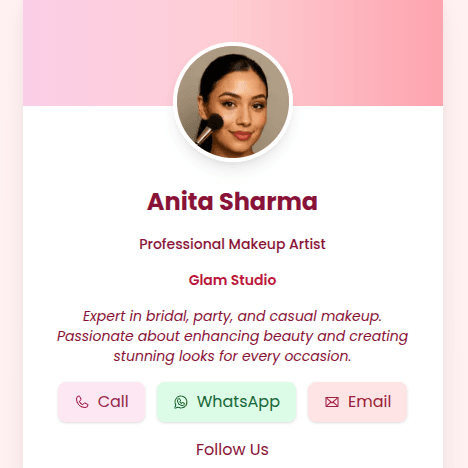
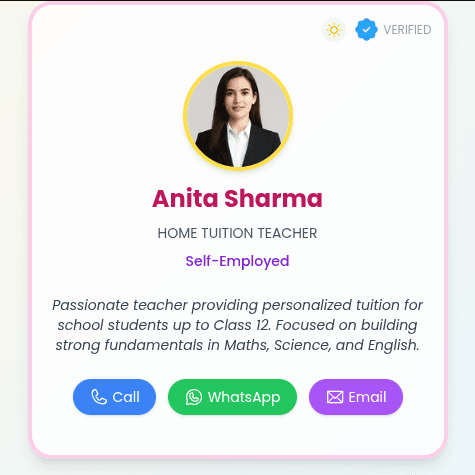
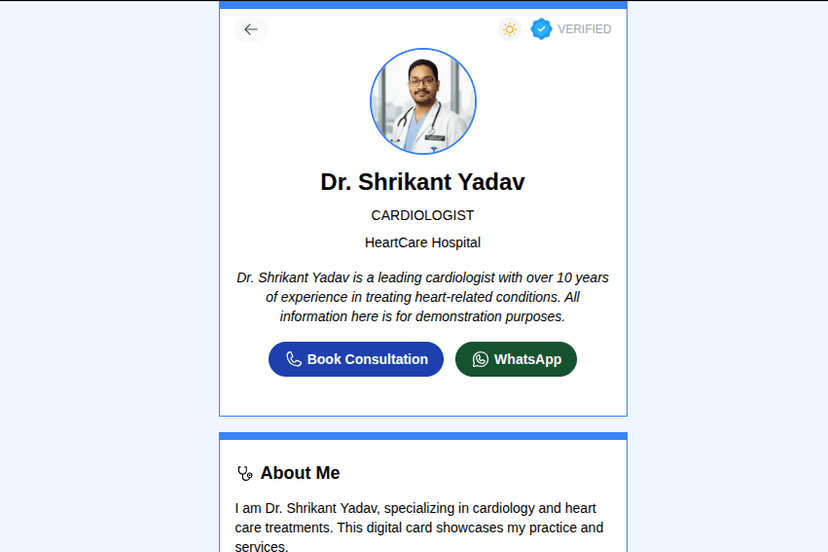
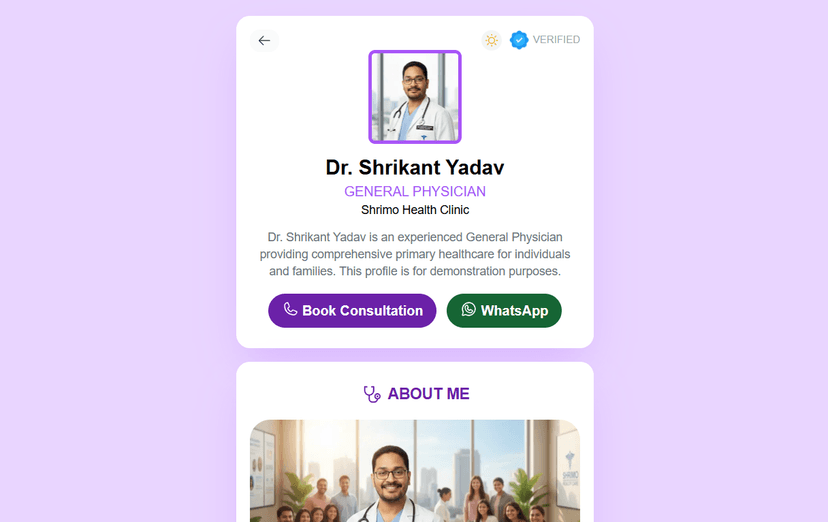
Explore Our Digital Card Templates
Choose Your Digiting Card Plan
Basic Plan
First Year Only
Best for individuals starting with a digital card.
View Plan Details →Premium Plan
Per Year
More features than Basic, perfect for professionals and frequent users.
View Plan Details →Customized Plan
Pricing varies
Unlimited features, fully tailored to your needs.
View Plan Details →Ready to Create Your Digiting Card?
Get started with Digiting Card and build your own online visiting card in minutes. Share your contact, brand, and social links with just one tap or scan.
Digiting Card FAQs – Everything You Need to Know
What is a Digiting Card?
How does a Digiting Card work?
What types of Digiting Cards can I get?
Is Digiting Card free?
Can I get a fully customized Digiting Card?
Can I update my card after it’s created?
Is Digiting Card mobile-friendly?
Does my Digiting Card include a QR code?
Can I showcase my portfolio on the card?
Is Digiting Card eco-friendly?
How can I share my Digiting Card?
Can Digiting Card replace my paper business card?
What’s included in the Premium Brand Kit?
Can I have multiple Digiting Cards?
Do I need an app to view or share my Digiting Card?
Who is Digiting Card best for?
Get in Touch
info.shrimo@gmail.com
+91 9907472038
Chakkar Road Square, Babai Road, Opposite Brijwasi Hotel, Narmadapuram, Madhya Pradesh - 461001