
First impressions matter. Whether you are meeting an investor at a conference, pitching a client at a coffee shop, or handing your details to a walk-in customer, your visiting card represents your brand credibility.
However, visiting card design in 2026 is undergoing a massive transformation. The days of cramming two phone numbers, a fax line, an office address, five branch names, and a dense list of services onto a tiny 3.5 × 2 inch paper rectangle are officially over.
Today, the most impactful business cards embrace minimalist design on paper while using dynamic QR codes to bridge the physical card with a rich, interactive digital profile.
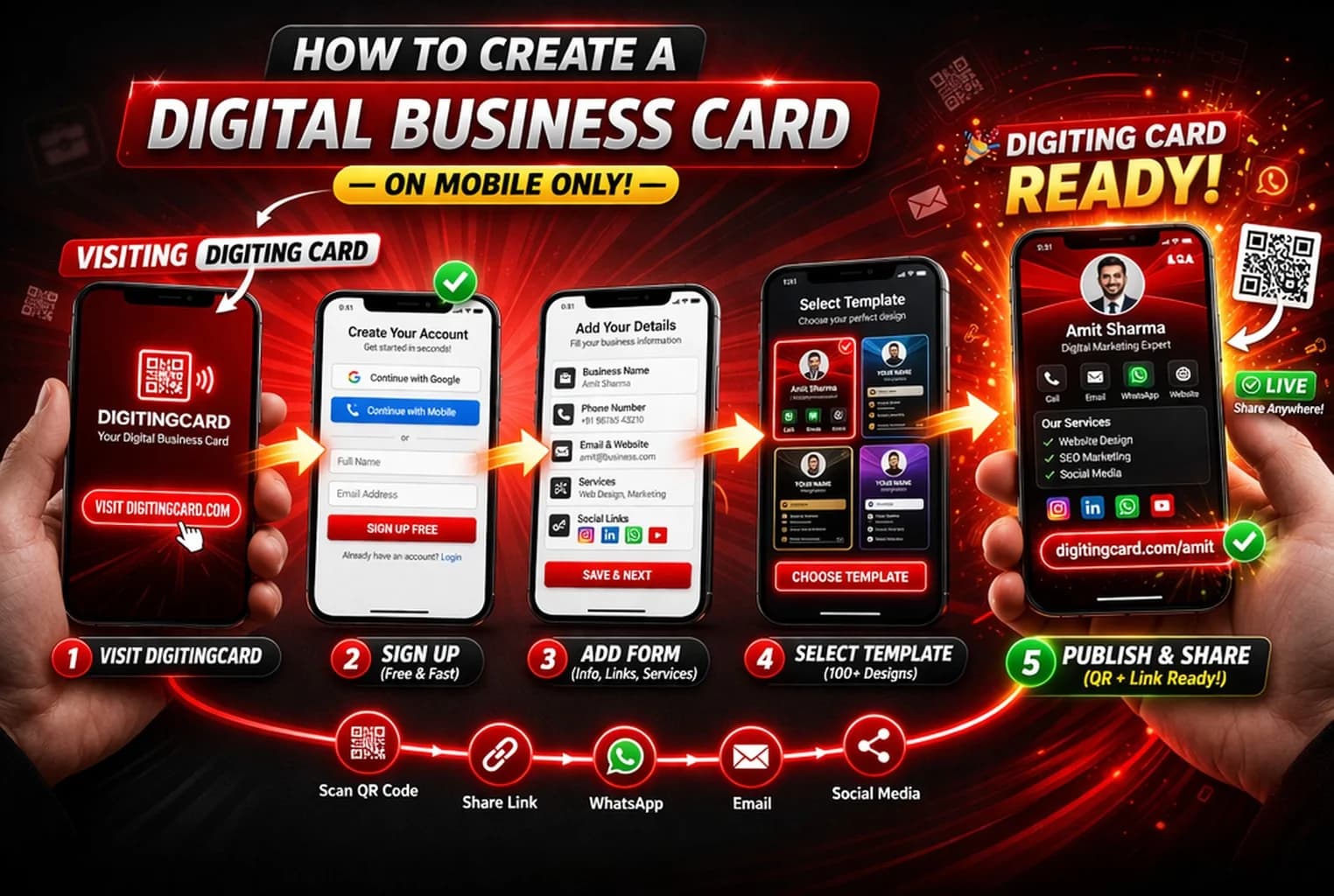
Modern visiting card design in 2026 balances minimalist aesthetics with interactive utility. Instead of cluttering paper cards with tiny text, modern designs feature high-contrast typography, brand logos, and a scannable dynamic QR code that connects directly to an online digital business card with one-tap WhatsApp, phone dialers, and product portfolios.
Professionals looking for fresh visiting card design ideas, creative layout inspiration, and online card maker tools to upgrade their professional image.
Top Visiting Card Design Trends for 2026
Design trends have shifted away from noisy, colorful gradients toward restrained, premium aesthetics that project maturity and confidence.
Here are the four design principles dominating modern business cards:
- Ultra-Minimalist Typography: Single high-legibility sans-serif fonts (like Inter, Plus Jakarta Sans, or Montserrat) with ample whitespace
- High-Contrast Color Palettes: Deep matte black with embossed gold or spot UV, or warm earth tones (terracotta, forest green, warm stone)
- Prominent QR Code Placement: Cleanly framed, scannable QR codes placed prominently on the reverse side or bottom corner
- Tactile Paper Finishes: Premium 350+ GSM textured cotton, matte velvet lamination, or recycled Kraft stocks that feel substantial in hand
The Essential Information to Include (and What to Cut)
The biggest mistake in visiting card design is treating the paper card like a brochure. A paper card has one single objective: establish who you are and facilitate the initial contact.
Everything else—catalogues, portfolios, client reviews, bank details, and social channels—belongs on your digital card.
- Front of Card: Company logo, your full legal name, professional title, and primary direct phone or WhatsApp number
- Back of Card: High-resolution scannable QR code with a clear call-to-action (e.g., 'Scan to Save Contact & View Portfolio') and clean website URL
- What to Leave Off: Outdated fax numbers, long bulleted service lists, dense company descriptions, and non-essential social handles
Why the Hybrid Model (Paper + Digital Card) Is Unbeatable
Paper cards still possess unmatched physical ceremony. Handing someone a beautifully weighted card during a handshake creates tangible memory.
However, paper cards fail when it comes to action. 88% of paper business cards are discarded within a week, and typing a 10-digit phone number or email address manually from paper into a smartphone has significant drop-off.
By adding a dynamic QR code connected to your Digiting Card profile, you give the recipient the best of both worlds: a luxurious physical token, plus a 1-tap 'Save to Contacts' button, direct WhatsApp chat, and interactive portfolio.
Best practices
Standard visiting card size in India is 89 mm × 51 mm (3.5 × 2 inches). Ensure your printer allows 3 mm bleed margin to avoid cropped text.
Never print a QR code smaller than 20 mm × 20 mm (0.8 × 0.8 inches). Maintain a white or high-contrast quiet margin around the QR code.
Never print static QR codes. Dynamic QR codes allow you to edit your phone number, website, or job title anytime without reprinting your cards.
Flimsy 250 GSM paper feels cheap and disposable. Request 350 GSM art card with matte or thermal lamination for durability.
Frequently asked questions
Can I create a digital visiting card without printing paper cards?
Yes! Millions of professionals use 100% digital visiting cards. You can share your card via WhatsApp, SMS, LinkedIn, email signatures, or show your phone screen QR code during in-person meetings.
What happens if I change my phone number after printing QR code cards?
If you used a Digiting Card dynamic QR code, you simply update your phone number in your account settings. Your printed cards will continue to work perfectly and load your updated contact details instantly.
Is it possible to add my business products and catalog to my card?
Yes. Digiting Card allows you to add product galleries, price lists, and WhatsApp order buttons directly onto your card profile.
Create Your Digital Visiting Card Free
Join thousands of Indian professionals and businesses. Build your card in 2 minutes with zero design skills required.